The Problem
My wife and I both go to Planet Fitness regularly, and for a while we were each working off laminated paper printouts of our workout routines, a physical item, two different versions, one more thing to carry into the gym and keep track of. It worked, but barely. There was no way to track history, no flexibility to update exercises, and no way to know if either of us had actually completed a workout on any given day.
The problems were straightforward:
- Paper printouts can't track completion or history
- No easy way to update or evolve the routine over time
- Two people, two separate routines — no shared system
- Planet Fitness equipment can vary slightly by location — no way to note machine quirks
- No guidance on building a new workout from scratch
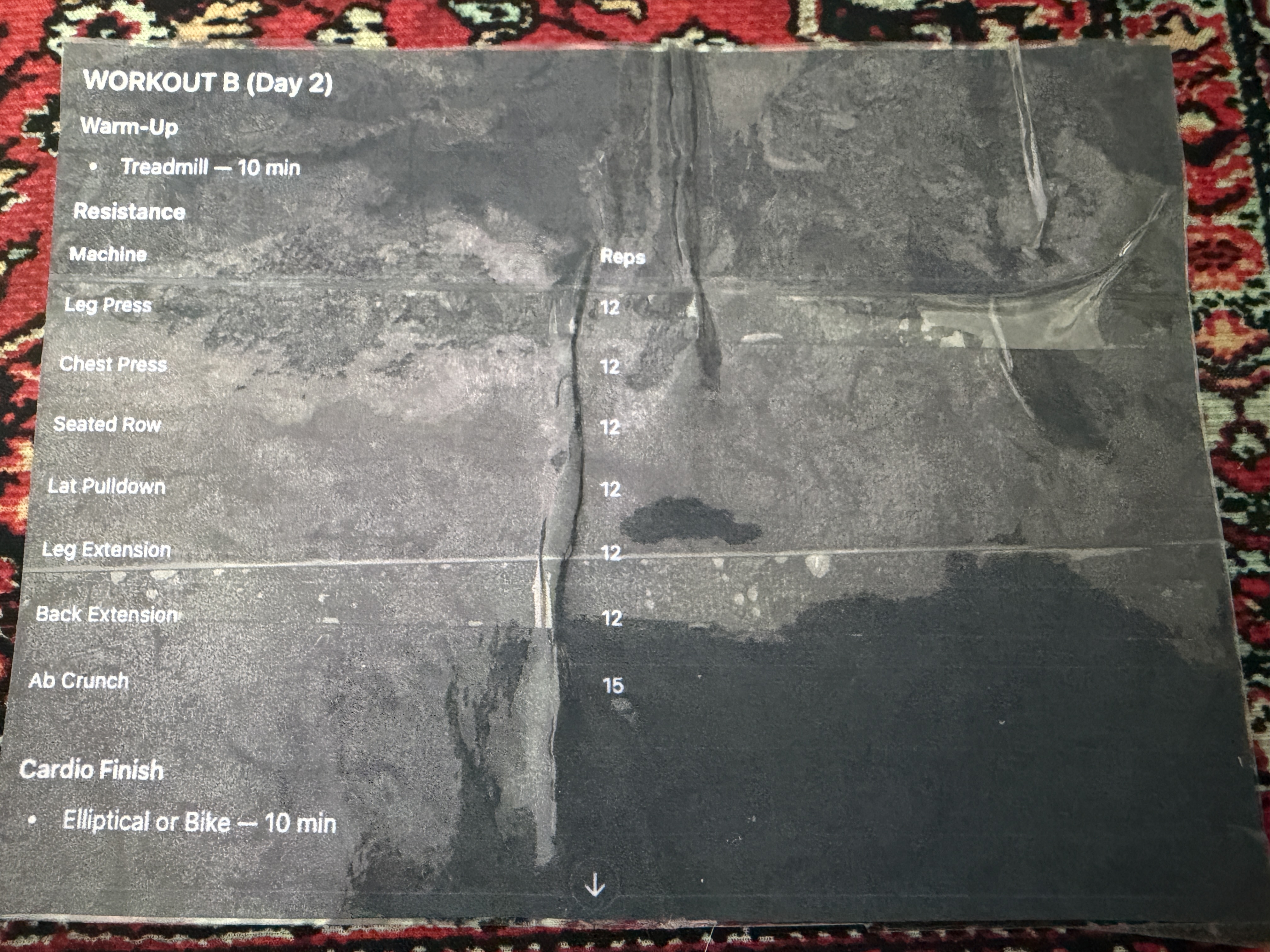
The laminated paper printout the app was built to replace.
The Approach
I used Claude to create a Progressive Web App, meaning it lives at a URL but can be installed directly to the home screen of any iPhone or Android device, behaving like a native app without needing the App Store. Each person gets their own profile, and all data is stored locally on device using Dexie.js (an IndexedDB wrapper), so the app works fully offline at the gym.
The app was built with four core features in mind:
- Workout Creator — create named routines, assign them to days of the week, add exercises from the machine library, and choose the number of sets and reps to be completed
- AI workout assistant — describe your goals and the app generates a custom plan using Claude
- Machine library — a browsable catalog of Planet Fitness equipment, filterable by category, with the ability to add photos of specific machines and notes about their location or settings
- Workout history — a calendar view showing completed workouts with full exercise detail for any past session
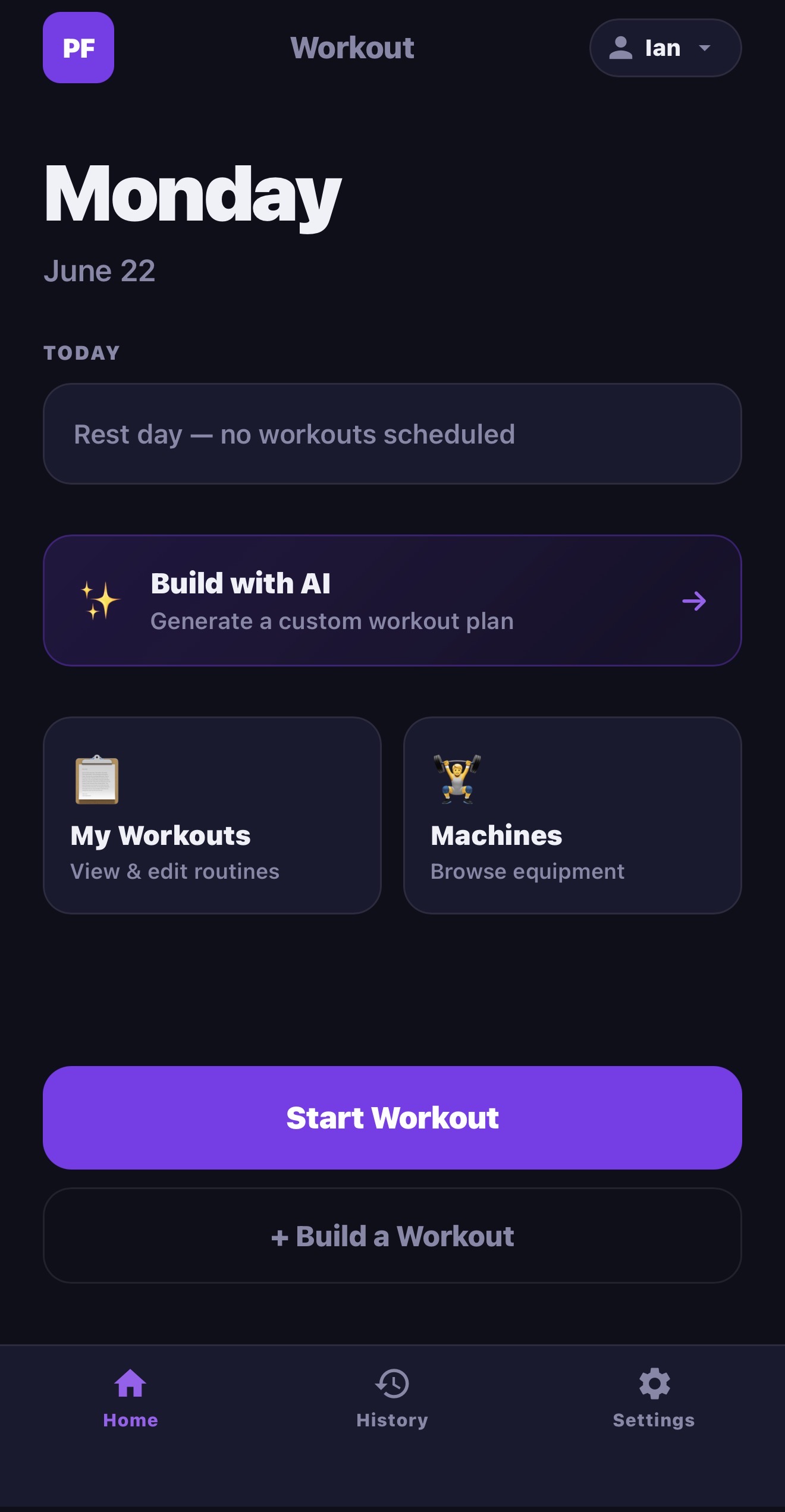
The app home screen, showing today's date, workout status, and quick access to all features.
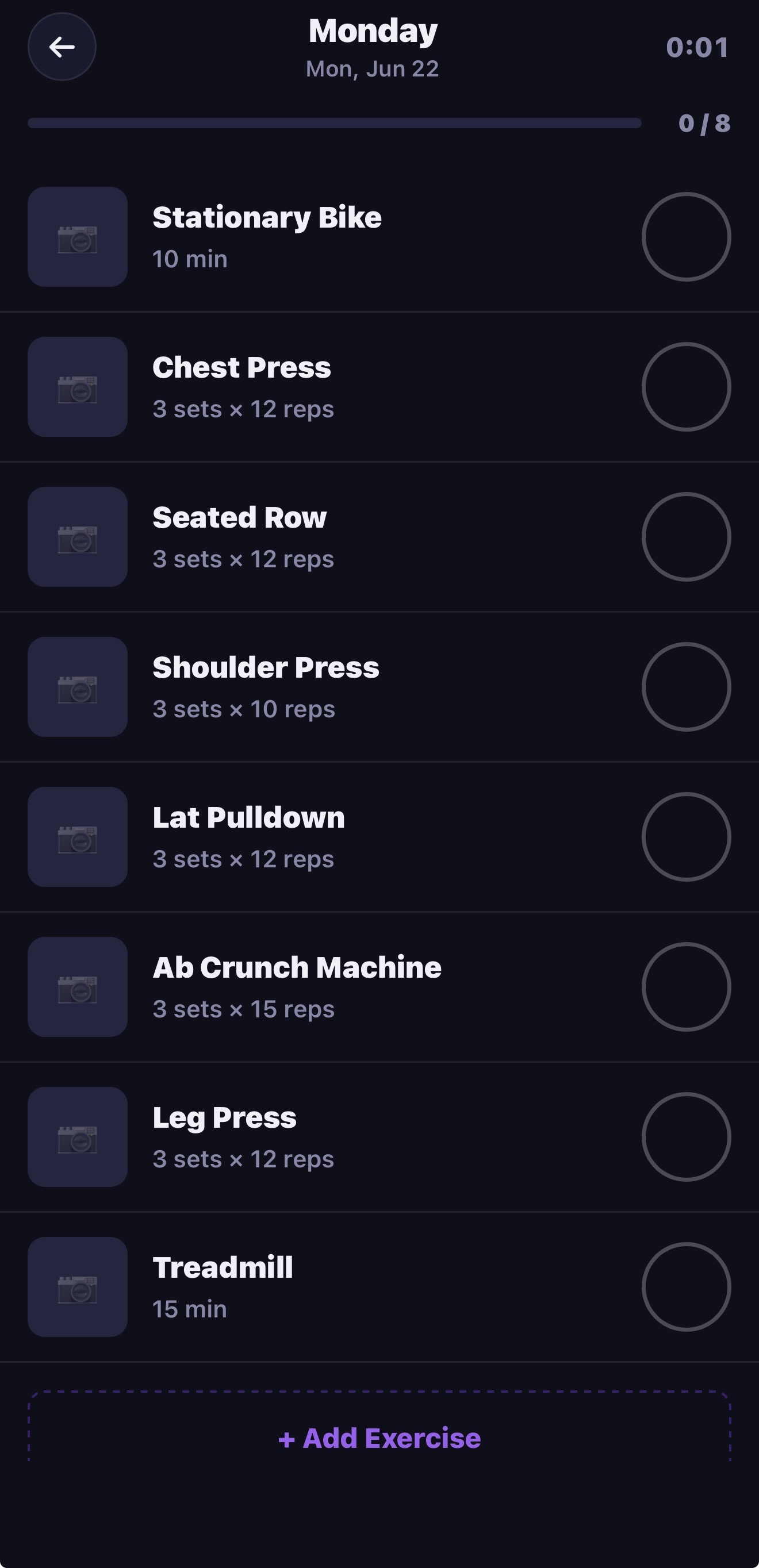
The active workout view — exercises listed with checkboxes, a live timer, and progress counter.
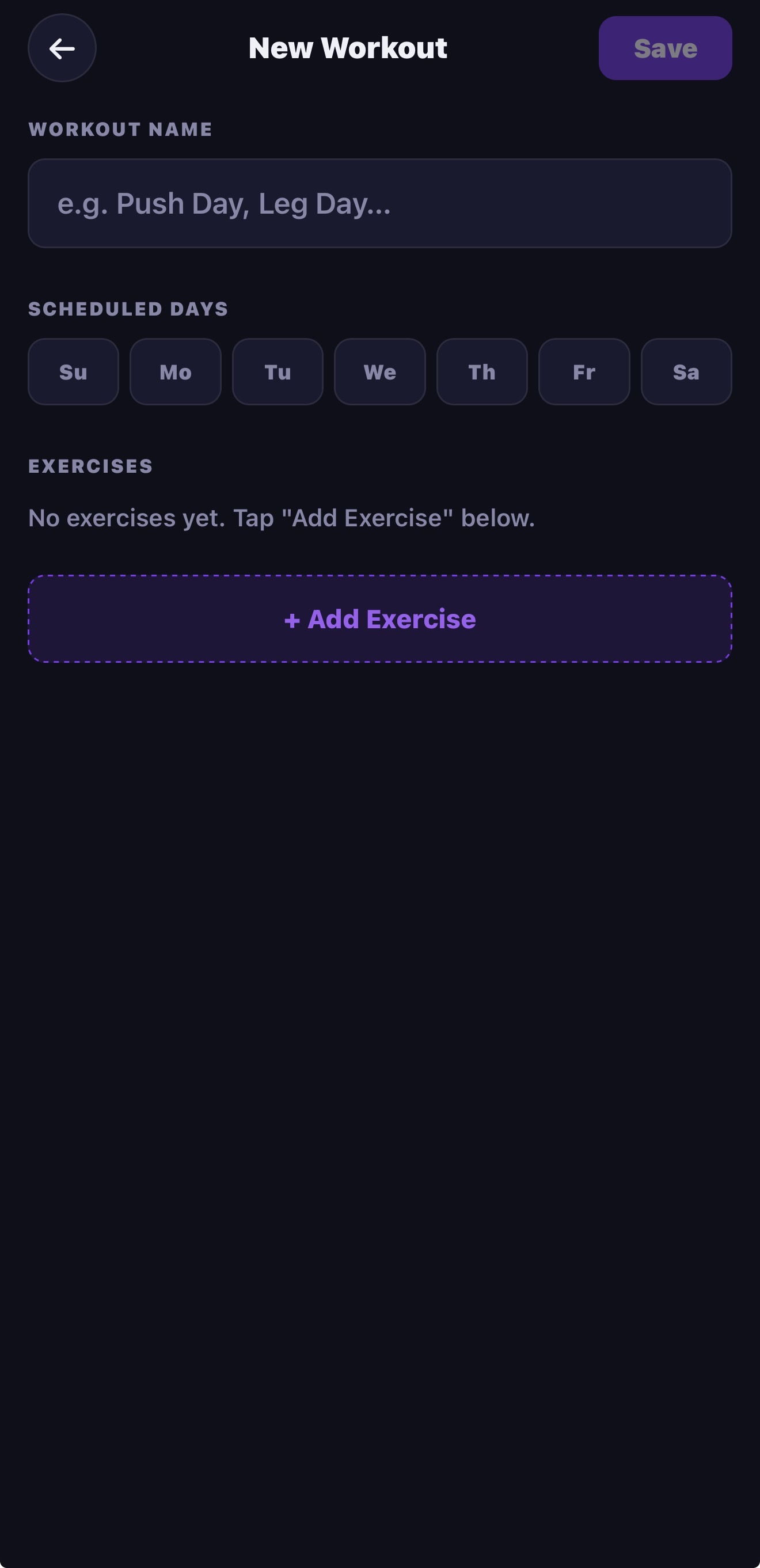
The workout builder — name your routine, assign days, and add exercises from the library.
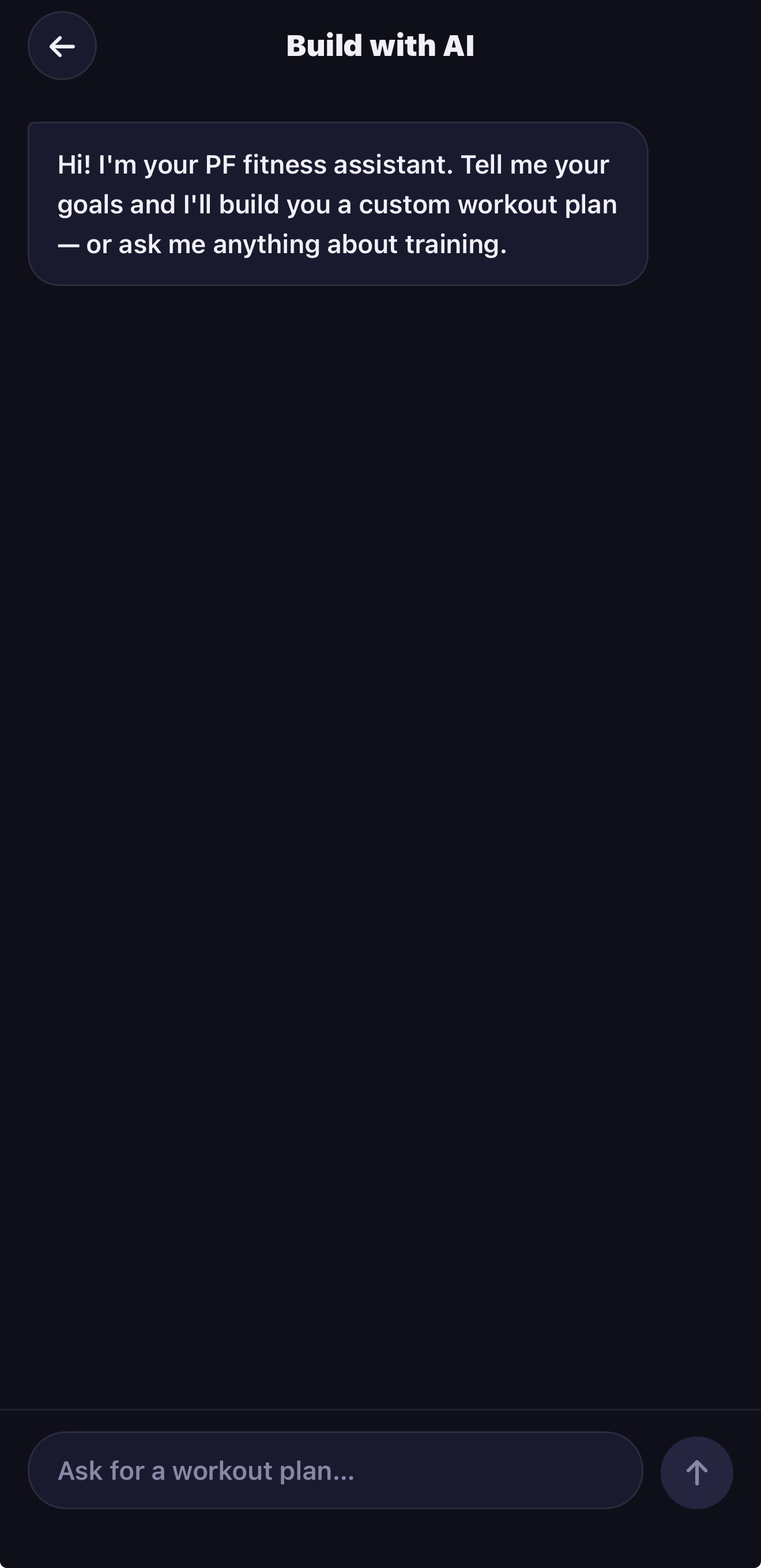
The AI assistant screen — describe your goals and receive a custom workout plan.
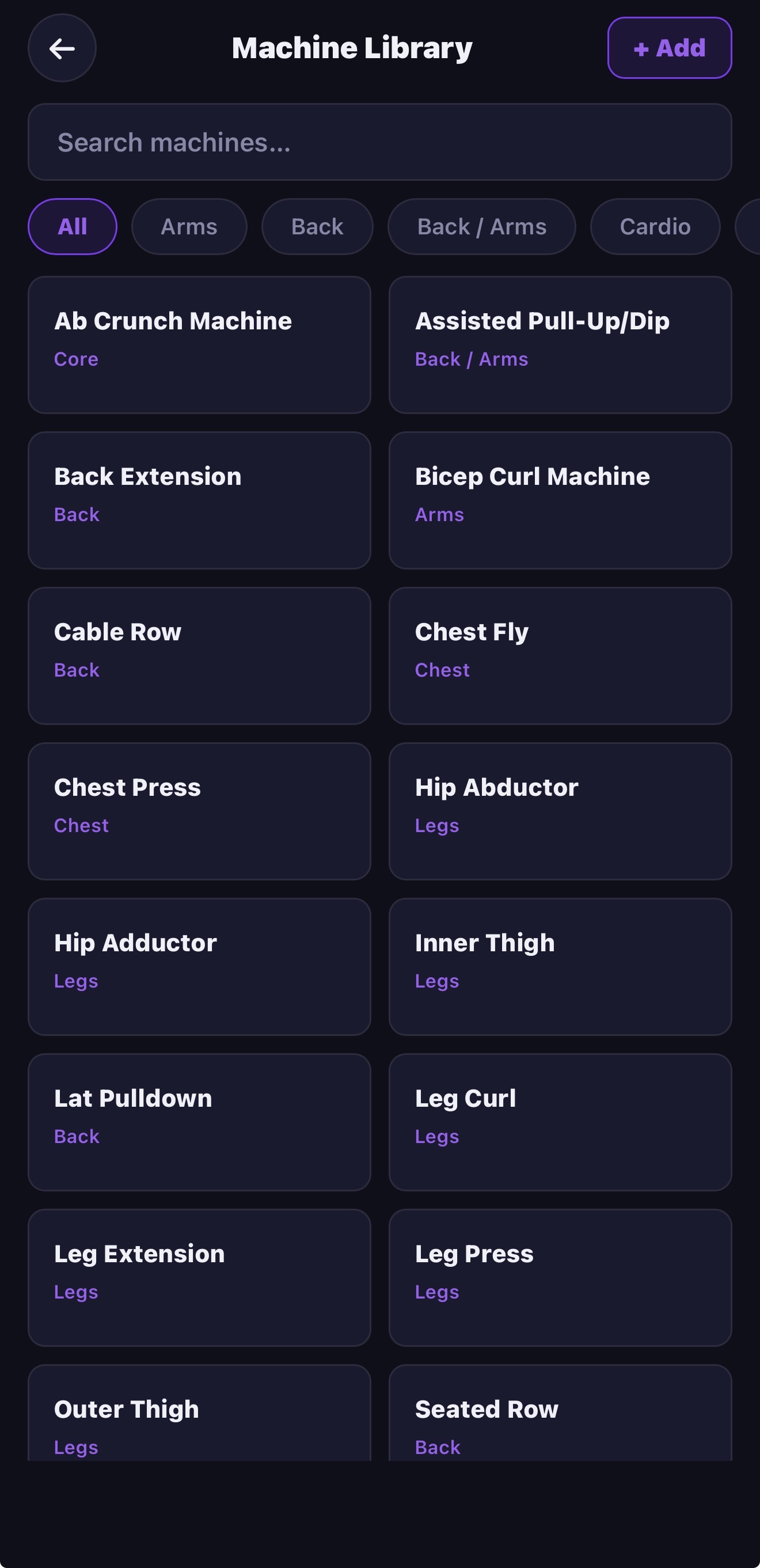
The machine library — all Planet Fitness equipment organized by category, searchable and filterable.
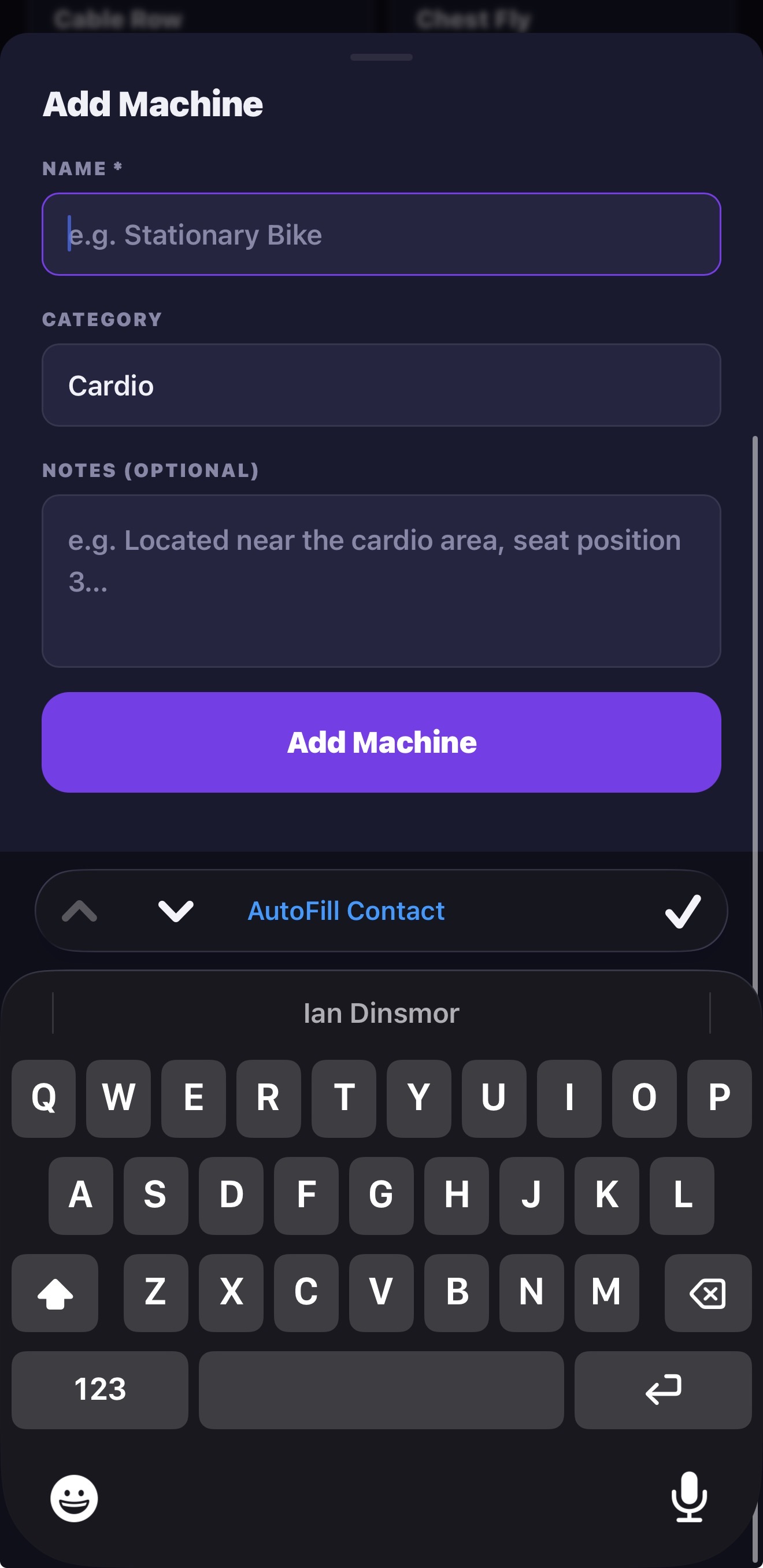
Adding a machine — name, category, notes, and an optional photo for location reference.
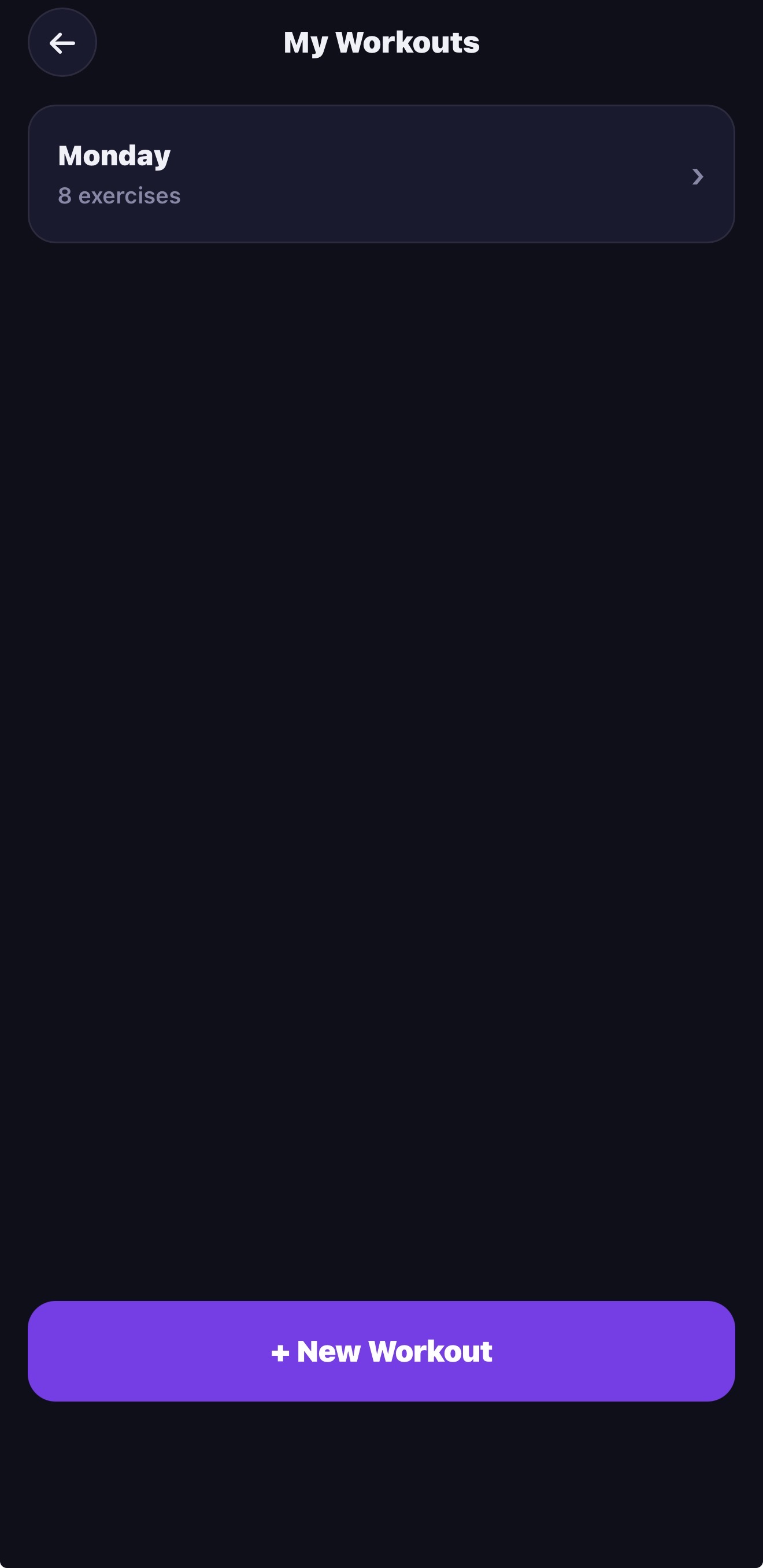
The My Workouts list — all saved routines in one place.
The Outcome
The laminated printouts are retired. Both my wife and I have the app installed on our phones and use it every time we go to the gym. The history calendar gives us accountability, the machine library means we never forget where something is or how to set it up, and the AI builder made it easy to refresh our routines when things got stale.
It's also a good example of what's now possible without a traditional development team — a fully functional, two-profile, offline-capable PWA built with AI assistance in a fraction of the time and cost it would have taken even a few years ago.
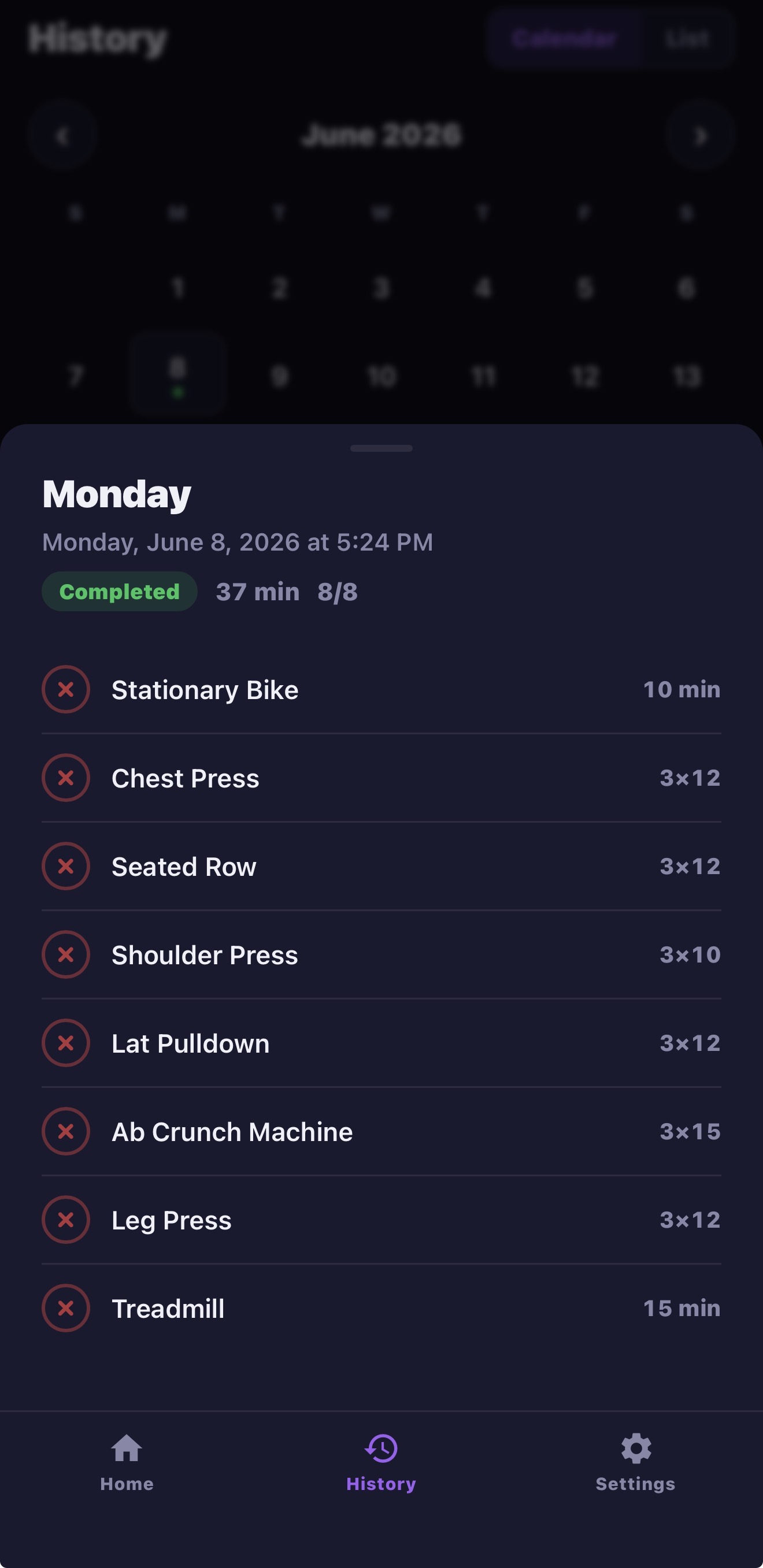
The history calendar — completed workouts marked with a dot, tappable for full exercise detail.
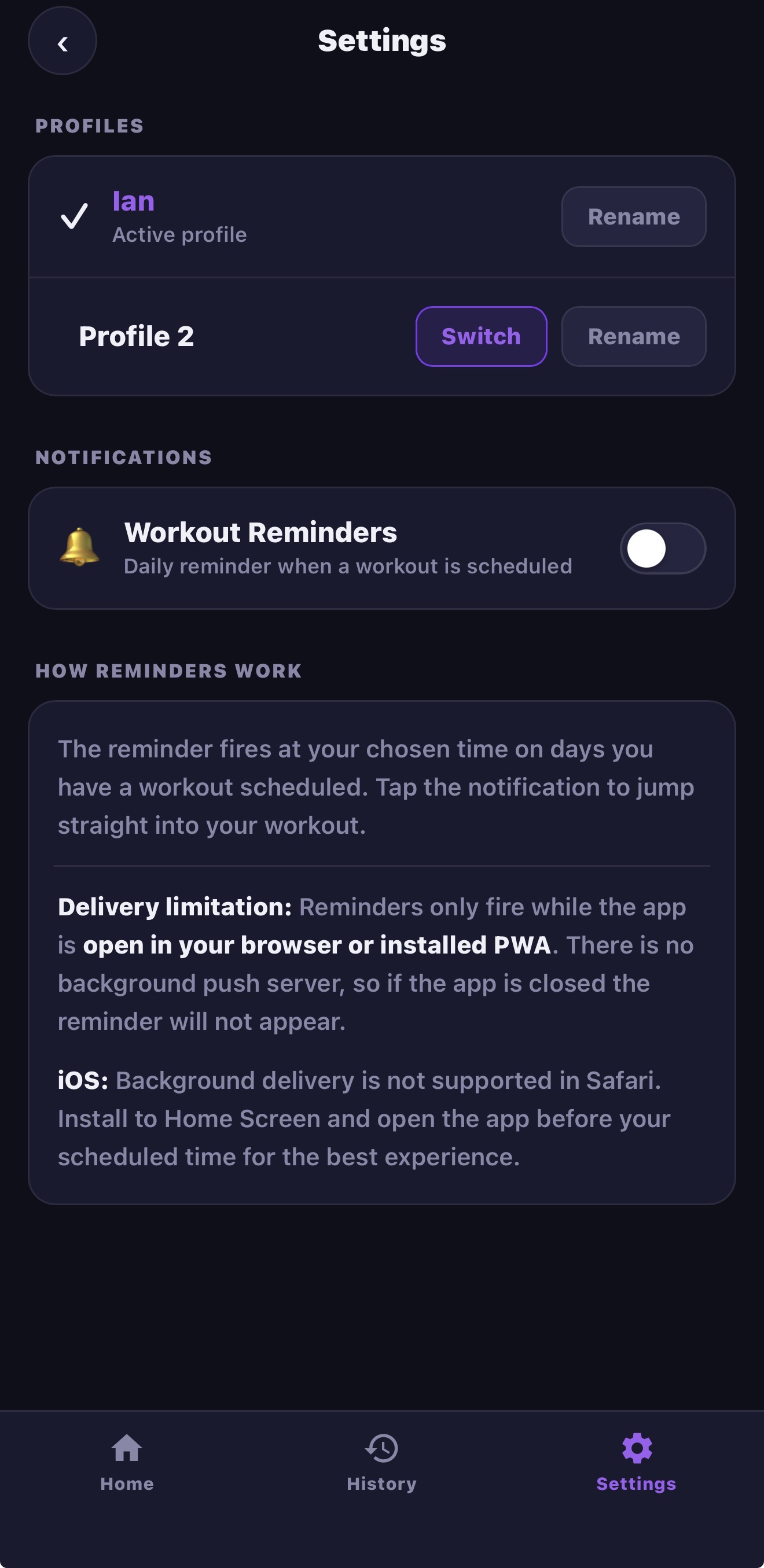
Settings — two profiles, push notification reminders, and delivery documentation.
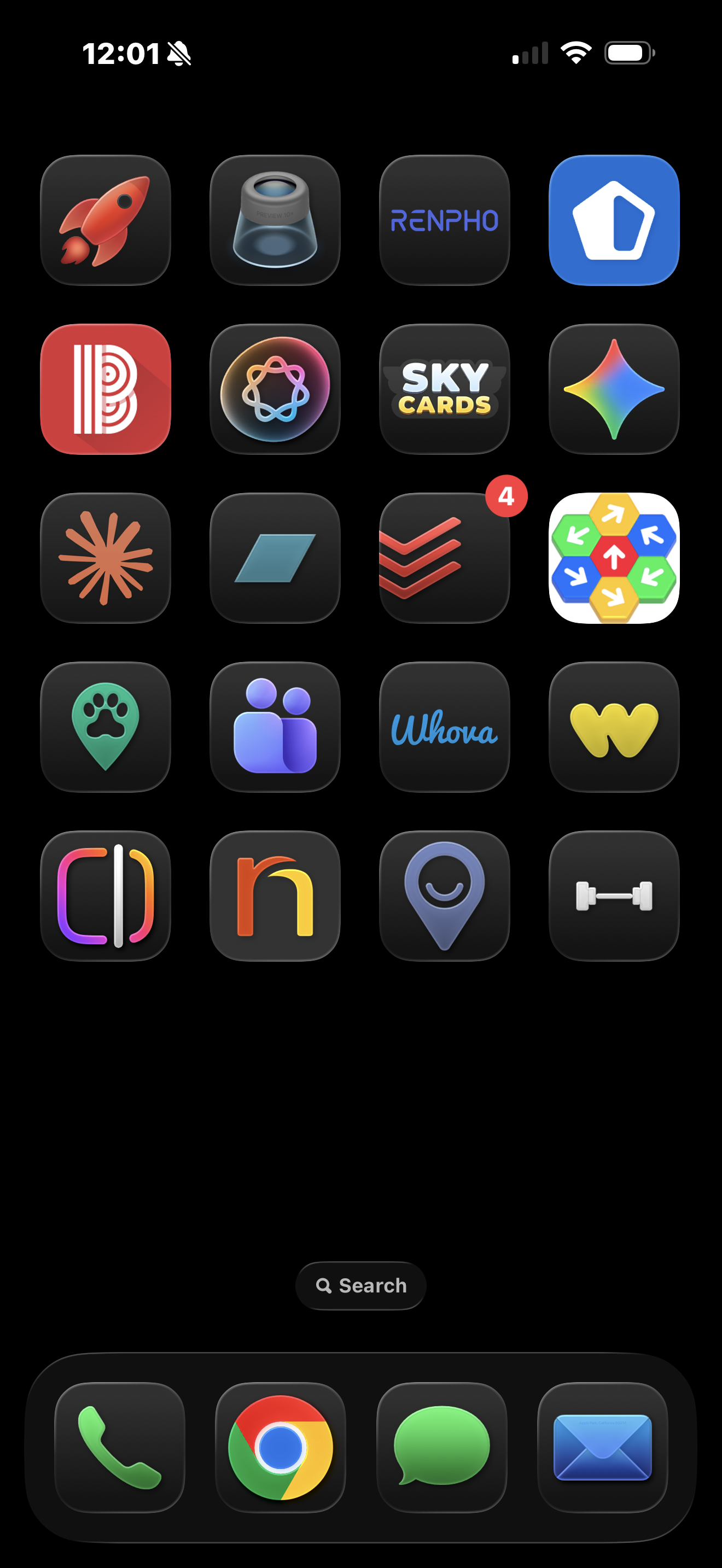
Installed as a PWA on the iPhone home screen — no App Store required.